Time Blocking: A Plain Guide to Planning Hours Instead of Lists
Updated October 8, 2026 · 6 min read
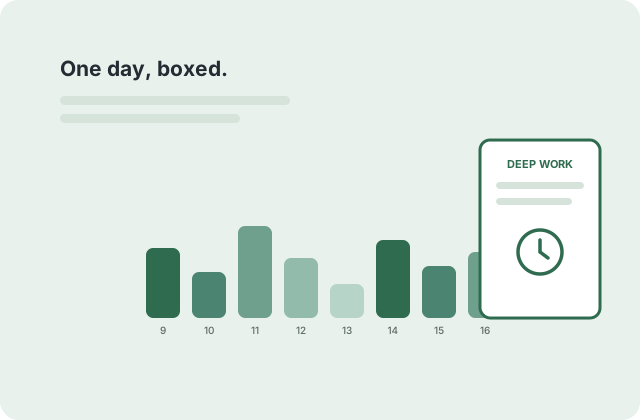
To-do lists tell you what; time blocking is the discipline of deciding when. Every hour of the day gets exactly one owner — a task, a meeting, a break, or deliberately nothing — and the day stops being a negotiation between a list and your wandering attention. Here is the method without the jargon, plus the free printable grids that make it physical.
The one rule: an hour gets one owner
Write the day's hours down the left side (the daily schedule template is pre-printed for exactly this) and assign each hour a single job before the day starts. "Email" is an owner. "Work on the deck" is an owner. "Open" is not — an hour with no owner defaults to whoever shouts loudest, which is rarely your top priority.
Two owners per hour ("deck + email") means zero owners in practice — the brain does both badly. If two things truly share an hour, one of them is not as important as you are pretending.
Block types: deep, shallow, and human
Deep blocks (60–120 minutes) go to the work that compounds — writing, building, studying. Shallow blocks (30 minutes) absorb email, admin and messages, batched twice a day. Human blocks — lunch, a walk, actual silence — get booked with the same ink as meetings, because they are the maintenance schedule for everything else.
The classic starter shape: one deep block before lunch, a shallow block after, a second deep block mid-afternoon, shallow wrap-up an hour before end. Two protected deep hours a day is a genuinely excellent week — six is a fantasy that produces three and a burnout.
Weekly blocking: the Sunday grid
Daily blocking works better when the week has a shape first. On the weekly schedule template, block the recurring immovables (classes, shifts, meetings, gym) once, then look at what remains: those light cells are the week's actual free capacity, in hours, where you can see them.
Budget from the visible remainder, not from ambition: if eleven cells are free, you do not schedule fifteen hours of side project. The grid's honesty is its whole value — it converts "I do not know where the time went" into "I had eleven hours and chose these".
When blocks break (they will)
Blocks are contracts with yourself, not laws of physics. A block that gets eaten gets a decision, not guilt: reschedule it into a visible cell today, move it to tomorrow's grid while you are looking at it, or drop it deliberately. The failure mode is not the broken block; it is the broken block quietly disappearing.
After a fortnight of blocking you will have data no productivity app sells: your real meeting load, your real free hours, and the time of day your deep work actually happens. Plan the next week from that, and the method starts paying interest.
Questions people ask
Is time blocking the same as a schedule?
A schedule records commitments; time blocking assigns capacity. The grid looks similar, but blocking means your priorities own hours before requests do — the schedule answers "when is the meeting", blocking answers "when is the writing".
Does it work with a chaotic or on-call job?
Yes, in a reduced form: block two anchor hours a day and let the rest flex. Even in chaos, two owned hours beats zero — and the grid will show you which hours are genuinely yours.
Paper grid or an app for blocking?
The grid wins for visibility (it is on the desk, not behind a notification) and for honesty (ink does not silently reschedule). Apps win for repeating events. Many people block weekly on paper and mirror only appointments into the calendar.