How to Use a Daily Planner (and Actually Stick With It)
Updated October 8, 2026 · 6 min read
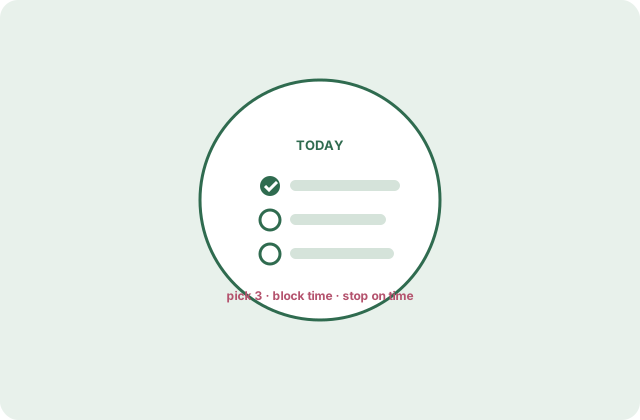
Most daily planners do not fail on paper — they fail on day four, when the novelty is gone and the system asks for more than the day has. The fix is not a better app or a prettier notebook; it is a smaller, fixed routine around the page you already have. Here is the whole method, start to finish, in about ten minutes a day.
Print tomorrow's page tonight
The single highest-leverage move: plan the day the evening before, when the day's verdict is already known and optimism is cheap. Morning-you is a bad planner — rushed, reactive, and still half in yesterday. Evening-you knows exactly what got skipped, and why.
Practical shape: after dinner or before bed, print or grab tomorrow's daily planner template, write the date, and do steps two and three below. Ten minutes, lights out, and the day has already been decided by the version of you with the most information.
Three priorities, written first
Before any list-making, write the day's top three. Not ten — three. The first is usually obvious (the thing you have been moving for two days). The rule that matters: priorities are chosen before the to-do floodgate opens, because a list written bottom-first will always serve the loudest, not the most important.
A useful test for a real priority: it has a verb and an outcome. "Website project" is a worry; "send Dan the homepage draft" is a priority. If none of your three make you slightly uncomfortable, you have written a wishlist.
Block the hours, not just the tasks
Take the three priorities and the day's fixed points — meetings, school runs, appointments — and give the priorities actual hours in the schedule section. A task without a time is a wish; a task with a 9:00 is an appointment with yourself. Defend it like a dentist's appointment, because it cost you the same thing.
Two guardrails: put the ugliest priority earliest (willpower is a morning currency), and leave at least one hour unbooked. A schedule with zero slack does not survive contact with a single traffic jam or a conference call that runs long.
The five-minute shutdown
End of day, five minutes: tick what happened, move anything unfinished to tomorrow's top three (this is the move that kills guilt — nothing silently rots), and write one line in the notes band about what actually derailed the plan. Not a diary — a sentence.
A week of those sentences is more useful than any productivity system: you will learn that Tuesdays get eaten by meetings, that your plans always forget lunch, that the 3 PM slot is where good intentions go. Adjust the template usage, not your character. The method is the feedback loop, and the loop is the whole trick.
Questions people ask
How long should daily planning take?
Ten minutes at night, five in the morning to glance and adjust. If your system needs half an hour a day, it is a hobby, and hobbies lose to laundry by week three.
Digital calendar and paper planner — together?
Yes, and it is the most common setup: the calendar holds appointments, the paper page holds the day's intention. Copy fixed events onto the page at planning time so the page remains the single view of the day.
What if I miss days (or weeks)?
Print a fresh page and start again — the system has no streak to break, which is exactly why it survives. The only failure mode that matters is deciding that a missed week means the method failed. It did not; you just blinked.