How to Print Planner Pages (So They Come Out Right)
Updated October 8, 2026 · 6 min read
Printable planner pages live or die in the print dialog. The layout can be perfect and still print uselessly — squeezed to one side, cropped at the margins, or on paper that ghosts through. This is the short, honest guide to getting these templates (and any printables) out of the printer the way they were designed.
Match the file to the paper, then print at 100%
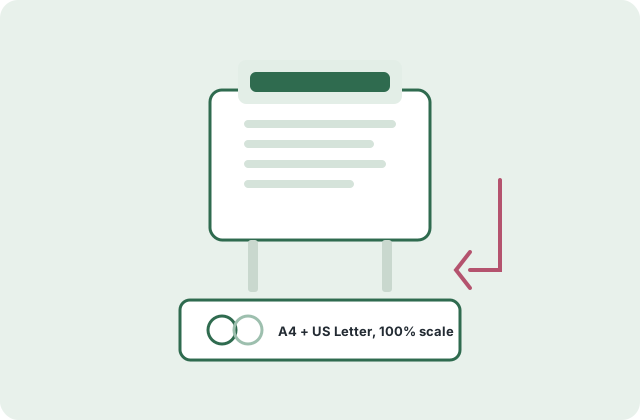
Every template here comes as two separate files — one laid out for A4, one for US Letter. Download the one that matches the paper actually in the tray. Printing the Letter file on A4 (or the other way) "works", but margins drift and hole-punch lines land in the wrong place.
Then the one setting that matters: print at 100% / "Actual size", never "Fit to page". Fit-to-page shrinks the page a few percent, which sounds harmless and is not — line spacing compresses, and the page stops matching its twin file. Every other setting can stay default.
Duplex, batches, and the paper that works
For weekly printing, duplex (two-sided) saves half the paper and makes a booklet-ish stack; for fridge pages and clipboard days, single-sided is the tool. Print a month of daily pages in one session — twenty pages take two minutes and remove twenty future decisions.
Paper: standard 80gsm copy paper is fine for practice, but planner pages get written on, erased and carried — 100–120gsm (about 27–32 lb) is the sweet spot: opaque enough that yesterday's ink does not ghost through, stiff enough to survive a week of handling. Nothing fancier is needed.
From printed page to system
Three cheap hardware moves turn loose pages into a system: a letter-size clipboard for the daily page (the desk grows a command center for a couple of dollars), a simple discbound or ring binder for archiving, and — for fridge logistics — magnetic document frames that make the weekly schedule a one-hand swap.
A note on digital: every PDF here also works in tablet annotation apps (GoodNotes, Notability and friends) — import, write with a stylus, duplicate the page forever. The honest comparison: tablets win on search and endless paper; print wins on presence — the page you can see from across the room is the page that gets used.
Questions people ask
The page prints with a white margin band — is that right?
Yes. Every printer has an unprintable edge (usually 3–6 mm); the layouts leave that zone empty on purpose. Do not choose "fit to page" to reclaim it — you would shrink the whole layout for nothing.
Can I print the Letter file on A4 paper?
It works in a pinch — the printer will add margins. But hole-punching and line spacing drift from the design. The matching file exists precisely to avoid this; grab the A4 version instead.
Grayscale printing — will it look bad?
Both colorways are designed to survive grayscale: the sage and blush accents print as pleasant grays, and all structural lines are neutral. Choose "print in grayscale" to save color ink — the pages keep their hierarchy.
Is selling printed copies allowed?
No — templates are free for personal, family and single-classroom use. Selling prints, or republishing the files, is not permitted. If you are unsure about a use, ask via the contact page.